Charon
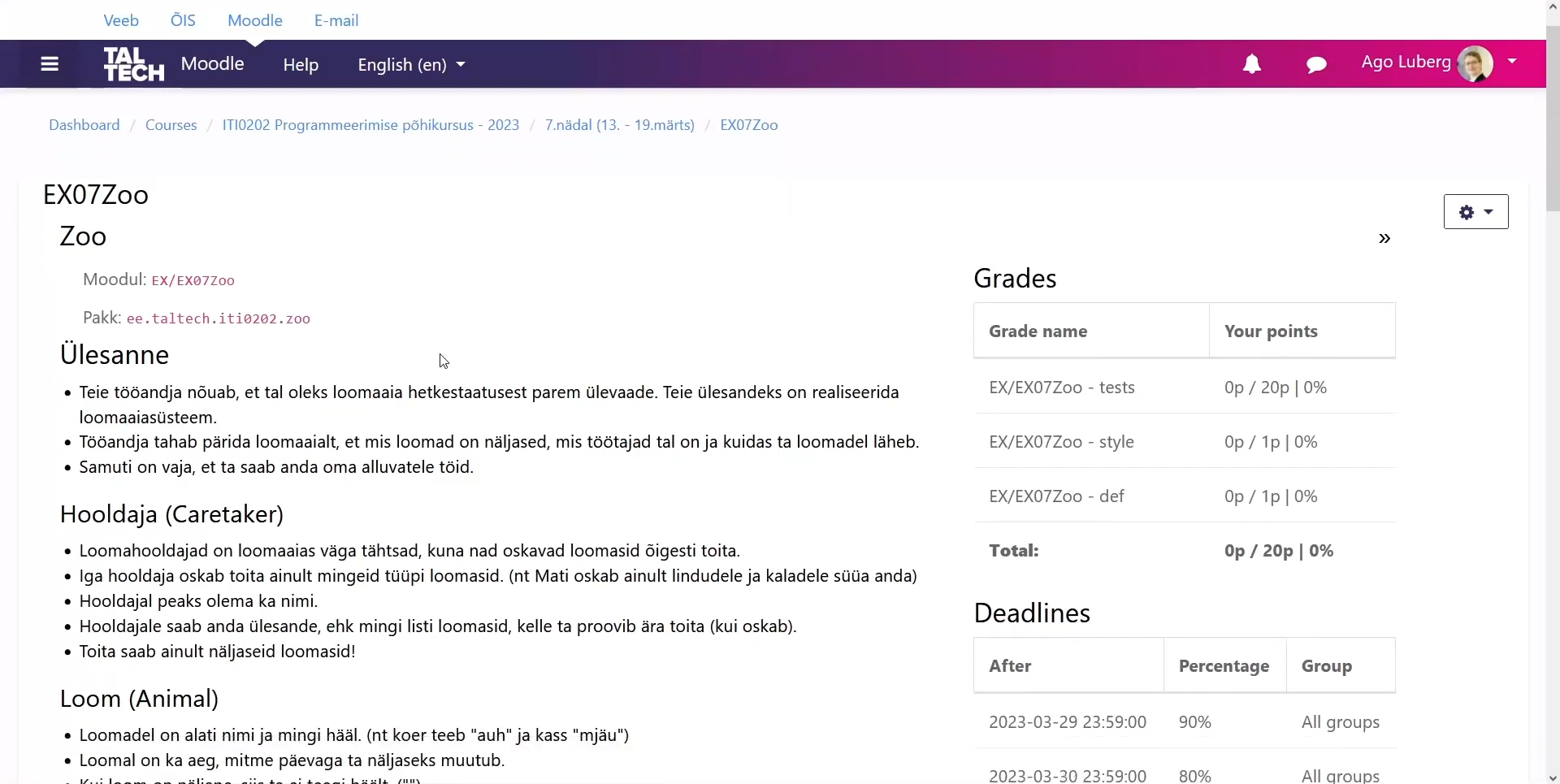
Charon is a plugin for integrating the Moodle learning management system with an automated tester for managing student programming assignment submissions, feedback, defense registrations and grading. This plugin is used actively by TalTech programming teachers, teacher assistants and roughly 1000 students each semester.
Background
When students commit to their repository, a git hook sends a request to Charon that will forward it to a tester. The tester runs the student code against the teacher’s tests and returns info on passed tests and code style back to the Charon backend, where it will be processed and saved into a database. The students then need to defend their assignments to receive a grade.
The tech stack consists of a Laravel backend that runs as a Moodle plugin and provides an API for the frontend. The backend mainly provides APIs for communication between MariaDB and the Vue frontend, but also interacts with Moodle, sends out emails and glues together GitLab/GitHub repositories and Arete testing framework services. The frontend is done in Vue. It provides a grading environment for teachers to check student submissions along with attached files, leave comments and give points.
This system was built initially as a bachelor’s degree thesis in 2017. You can read more about it here.
What I did
I was part of a 5-member fullstack agile Scrum development team. Our work process was divided into 2-week sprints with individual demos and sprint retros. Our agile was a mix of Kanban and XP (pair programming) depending on circumstances.
My daily work consisted of solving issues, doing merge reviews and hunting bugs - string injection, missing hierarchy list root node, missing foreign key constraint, outdated data seeding logic, etc. The issues were either miscellaneous tasks or part of a larger epic goal.
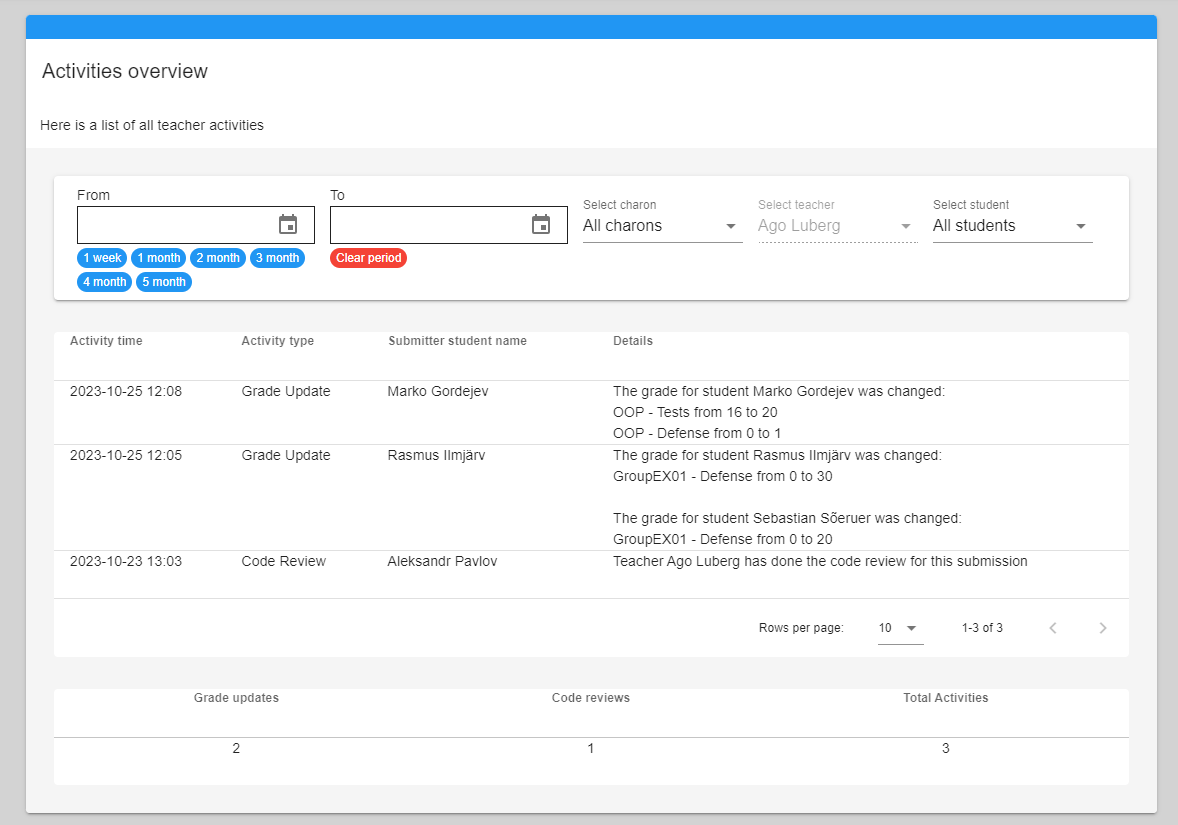
I created a TA (teacher assistant) activities logging system needed for tracking TA contributions and therefore their payment. I modified the grading logic API to add teacher activity message and designed an “Activities overview” section allowing viewing and filtering of submission defense and grading activity.
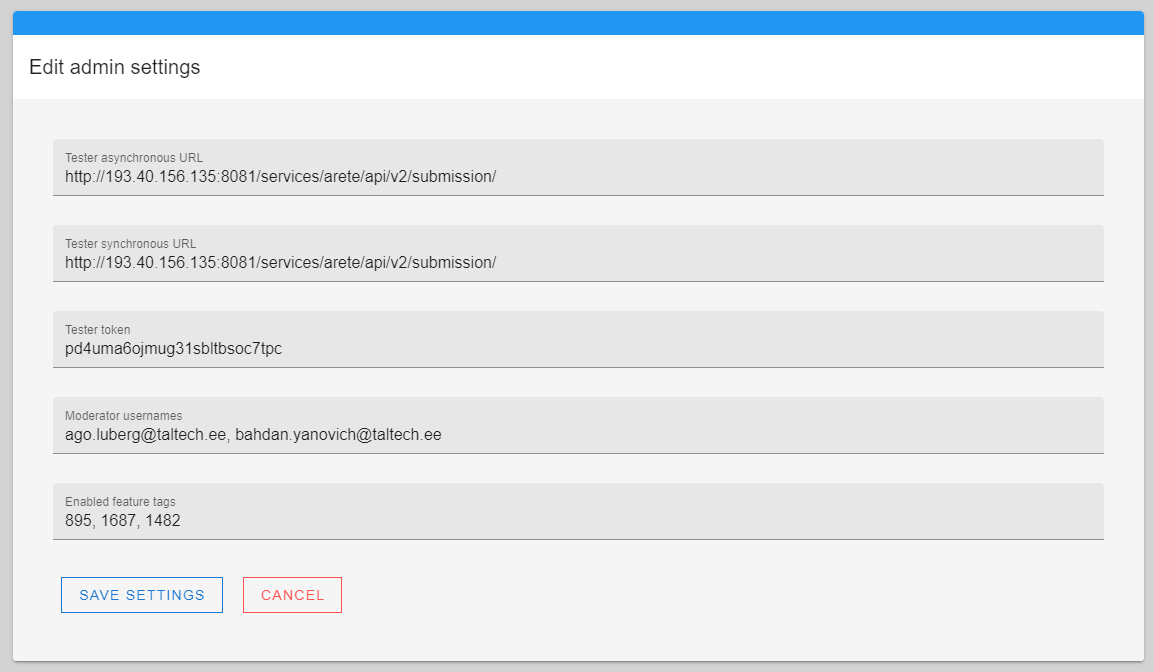
I created an admin section for configuring global settings and feature-flags to allow plugin rollback without relying on TalTech’s Moodle SysOps team. This included creating an API and middleware for handling settings changes in the backend and creating the page along with a conditional navigation link in the frontend.
Final words
Overall it was a great opportunity to improve something that I had used previously and create a better experience for future students and teachers. I gained a lot of experience with agile methodologies, the general software development cycle and teamwork.